One connected operating system
Follow the client from first interest to the next visit.
Belom · Who it's for
Belom gives an independent professional one place to publish a booking path, remember every client and decide who needs attention next. Clients book in their browser from a link or QR, with no app to install, while the working context stays with you.
For barbers, massage therapists, tutors, photographers, nail artists and other independent professionals
The solo reality
A no-show, a quiet afternoon and a regular who forgot to return are three different problems. When you work alone, each one competes with the appointment already in front of you. Belom keeps the signals close to the calendar without pretending software can remove every cancellation or fill every gap.
The lost time also creates a last-minute decision: wait, post online or contact somebody who might actually want the opening. Belom keeps booking demand, waitlist context and open time in the same working system.
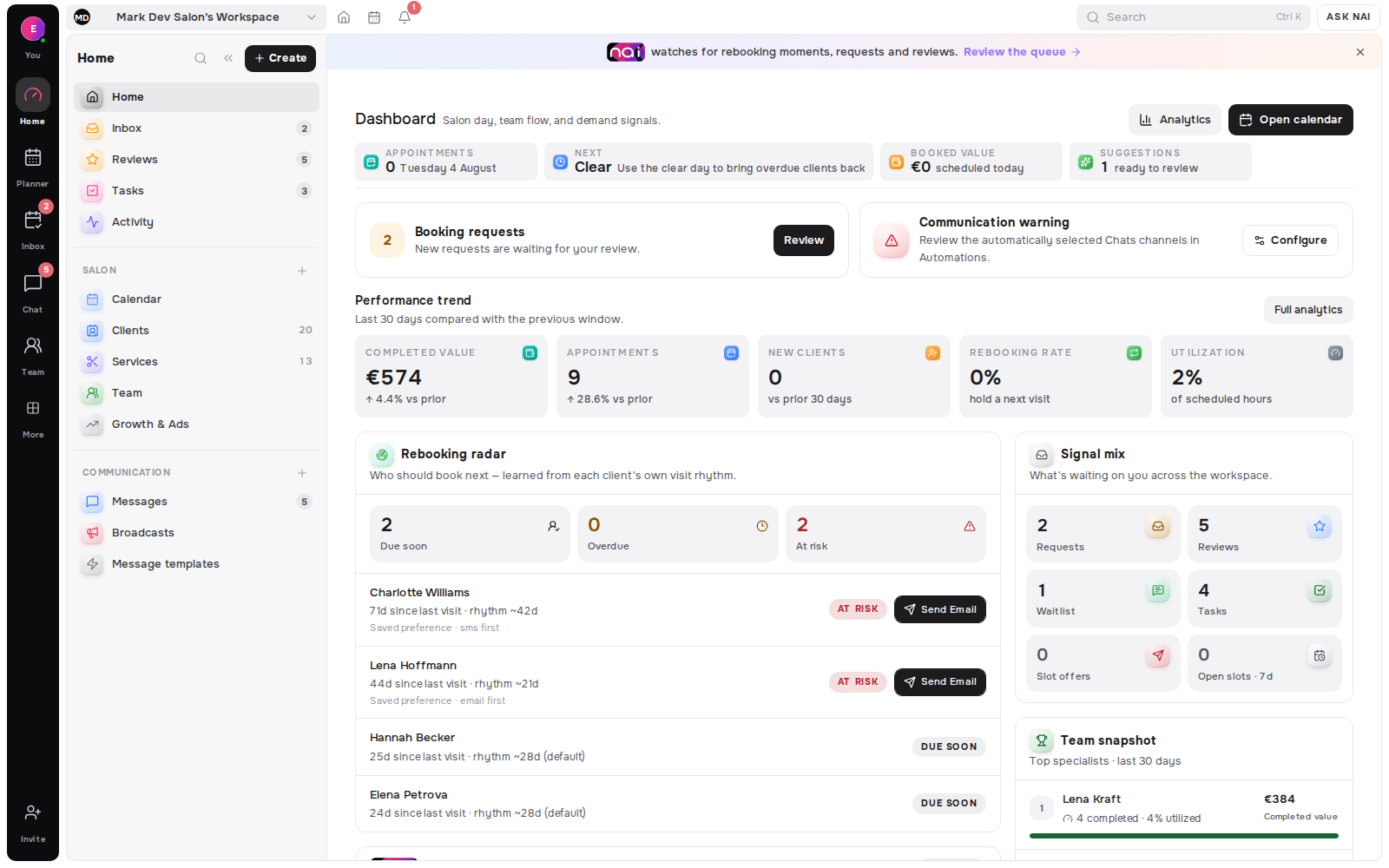
Tomorrow’s opening can still be useful; yesterday’s cannot. Today’s Opportunities brings live requests, waitlist matches, rebooking signals and planner gaps into a prioritised morning view so you can decide what is worth acting on.
A timely note to a known client is different from posting into the void. Client history, the last service and return timing help you make a specific follow-up instead of starting every message from a blank screen.
From discovery to booking
Your booking path should be easy to share and easy to finish. Belom publishes a browser-based page from the same services and availability used by the workspace, so a client can move from interest to an eligible time without downloading another app.
Published services, booking rules and current availability shape what the client can choose. Confirmed bookings return to the planner with the client, service and time attached.
Explore Online BookingPlace it in a social bio, an email, a direct reply, a business card or a physical counter. The address stays useful while the services and bookable times behind it continue to read the current workspace.
Explore Smart Links & QRThe return loop
Belom connects the work after a booking instead of treating every appointment as a fresh transaction. The result is a practical loop an independent professional can run in minutes, with the source context visible before any outreach happens.
Visits, preferences, service details, notes, conversations and return timing stay together, making the next appointment easier to prepare for.
Explore Client MemoryToday’s Opportunities orders rebooking signals, requests, waitlist matches, open slots and follow-ups, and keeps the reason attached to each row.
Explore Today’s OpportunitiesRebooking Radar learns from completed visits, then shows clients who are due, overdue or drifting while suppressing people who already have a future booking.
Explore Rebooking RadarConnected client chat threads share one inbox, while SMS and email remain outbound delivery rails. Visit context stays beside the conversation instead of on another device.
Explore MessagesPlan guidance
Free is the typical place to begin when one specialist needs the core booking page, planner and client workspace. Pro typically fits once the same solo business wants more automation and communication capability. The current limits, channel access and add-ons belong on the pricing page, so this guide does not repeat numbers that may change.
Compare the published inclusions and limits before choosing. A solo business does not need to buy team capacity it will not use.
Compare current plansBrowse the complete product directory when you want to follow a specific workflow beyond booking, memory and rebooking.
Explore all productsStart with one workspace for booking, client context and the daily decisions that keep a solo service business moving.