One connected operating system
Follow the client from first interest to the next visit.
Analytics & Economy
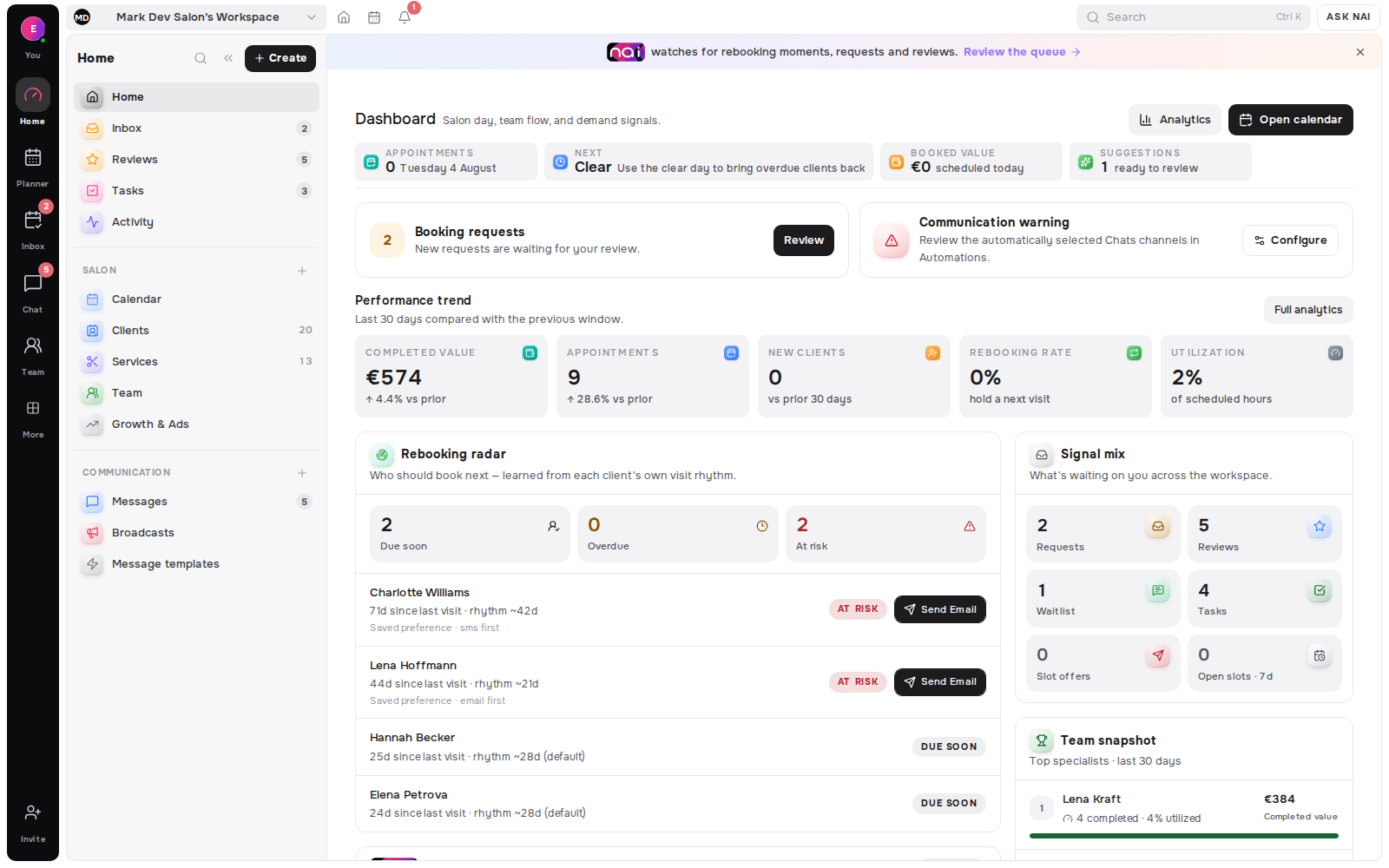
Start with three plain answers: how many visits were booked or completed, which clients came back, and what money was actually recorded as collected. Service and team breakdowns sit behind those answers when the decision needs more detail.
No card requiredFree plan included

Bookings, returning clients and money collected
They open with booked and completed visits, then see which regulars returned and which clients may need a rebooking follow-up.
A permitted owner moves from the same booking and retention totals into specialist or location breakdowns without exposing money to the wrong role.
They compare completed sessions with returning learners and the sales or cash entries actually recorded, rather than treating calendar value as collected money.
Appointment value remains an estimate; posted sales, cash, refunds and other money records stay labelled as separate facts.
The same owner-scoped facts support a quick operating check, a deeper analysis and a permission-aware export.
Bookings
Read the appointments in the period, separate completed work from other statuses and keep the service value labelled as an estimate rather than cash received.
Retention
Compare new and returning clients, inspect retention windows and keep clients to win back sorted by their return urgency.
Collected money
Posted sales and cash records answer what was collected, while refunds and appointment-price estimates remain separate so the same euro is not described twice.
Services and team
Easy keeps the core answers short. Pro adds period comparisons and filters for services, specialists, locations, channels and campaigns without changing the underlying facts.
From glance to explanation
First answer
Open with appointments and completed work, then read return patterns and the money actually recorded before moving into shorter service, demand and marketing paths.
Full evidence
Switch to Pro for comparisons, detailed date ranges and filters across location, specialist, service, channel, platform, account and campaign.
Server-controlled
Every analytics read asserts the viewer’s permission. Money is masked or hidden before a restricted response crosses the server boundary, and specialist scope stays limited to allowed work.
 Sofia Brown€9 840
 Marco Rossi€6 888
 Noor SinghHidden for this role
Next work
Retention can open Rebooking Radar and a client message, while demand, capacity and acquisition evidence show where Growth work may be useful.
Portable evidence
Export overview, sales, clients, demand, acquisition, team or operations with the active date window, filters and permission scope.
2 views
Easy and Pro presentation depth
7 CSV tabs
overview through operations
All tiers
growth analytics entitlement
Server-side
analytics and revenue permissions
Compare the active range with a prior period or prior year.
Slice by location, specialist, service, channel and campaign.
Keep appointment-price estimates labelled as estimates.
Read posted sales separately from calendar value and cash.
Keep collected payments and reversals in their own buckets.
Follow new, returning and win-back client patterns.
See requests, waitlist pressure, available time and utilisation.
Inspect scoped performance where the workspace supports it.
The Belom platform
Belom keeps the planner, client history and approved communication connected in one place.
Appointments and completed service value
New, returning and retained clients
Win-back urgency and follow-up
Acquisition and booking outcomes
Seven permission-aware analytics slices
An appointment price remains an estimate until a separate sale or cash record says money was actually collected.
A viewer cannot use a chart, filter or export to reveal revenue or client data outside their workspace role and scope.
Past bookings, returns and money records explain what happened; they do not promise future demand or income.
Built around your results
Analytics is included across current tiers. Money visibility, client detail and exports keep the viewer’s workspace permissions.
Every returning client, filled slot and hour saved adds to the value of your subscription.