One connected operating system
Follow the client from first interest to the next visit.
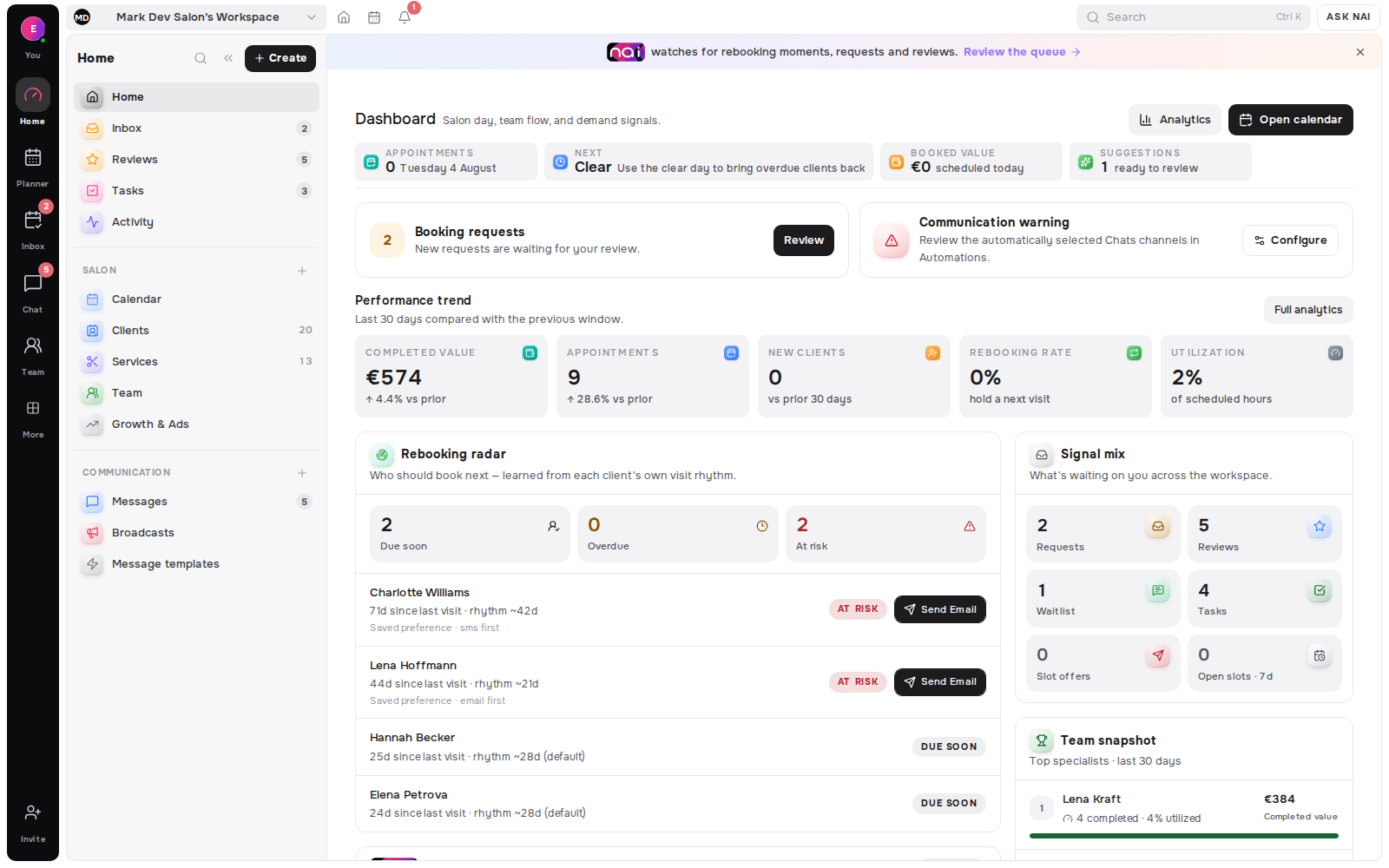
Client Memory
Visits, preferences, formulas, notes, conversations and return timing kept on one client record, visible to the people who should see it and nobody else.
No card requiredFree plan included

The record that makes the next visit easier
The professional opens the appointment and sees permitted visit history, preferences, notes and contact details on the linked client record.
They update the details that matter next time-such as equipment, sensitivities, timing preferences or a private note-without creating a second record.
The completed visit joins the history and can inform the client’s return cadence for Rebooking Radar.
Client records are part of the core workspace. Team visibility follows role, assignment and field-level permissions.
Enough context to run the visit well, without collecting things that age badly.
History
Services, prices, duration and who performed the work, so the pattern is visible without a spreadsheet.
Detail
The specifics that make a repeat visit easier to run: equipment, sensitivities, preparation and timing preferences.
Cadence
Return timing is measured per client, so a six-week regular and a twice-a-year visitor are never treated the same.
 Mia Nakamura34d36d33d≈ 35 daysDue in 3 days
 Marco Rossi172d181d168d≈ 174 daysDue in 6 weeks
Boundaries
Roles decide who reads notes, money and contact details. Private notes stay with the specialist who wrote them.
On the record
History
Every completed visit with service, price and specialist, newest first.
Detail
Structured fields for the things you must not guess twice.
Conversations
The conversation history that belongs to this relationship, across channels.
Return
The rhythm Belom measured, and the drift that makes a reminder worth sending.
Control
A client can ask for their data or ask to be forgotten. Both are one action.
One record
per client relationship
Role-based
visibility of notes and money
€0
to start, no card required
GDPR
export and erase built in
Stay with the specialist who wrote them.
Scope client detail per role and per location.
Every change to a record is attributable.
Two records for one person become one history.
CSV export is self-service; confirm any inbound client-list migration with Belom before switching.
Answer a data request without a support ticket.
The Belom platform
Belom keeps the planner, client history and approved communication connected in one place.
Visits and appointments
Threads per client
Cadence signals
Daily queue
Retention patterns
Clients and subject-access bundles
Fields collected once
Visibility scope
The record can hold visit history, preferences, notes, contact details and the communication or cadence context linked to that client.
The professional and permitted team members can see owner-scoped client data. Another business cannot browse or inherit this client base.
A permitted professional can export the client bundle and permanently erase the client's data when responding to a client request.
Belom does not share the client base with other businesses, and it does not message clients on its own without an approval or configured rule.
Built around your results
Client records are available in the core workspace; team access remains permission-controlled.
Every returning client, filled slot and hour saved adds to the value of your subscription.